Horse Profile Current Work tab
Shows work profile page current tab and the different sections on the page.
From the Work profile horse list, tap on a horse. The Horse Profile Current Work tab will be displayed. The Previous Work tab shows the history of work performed on a horse.
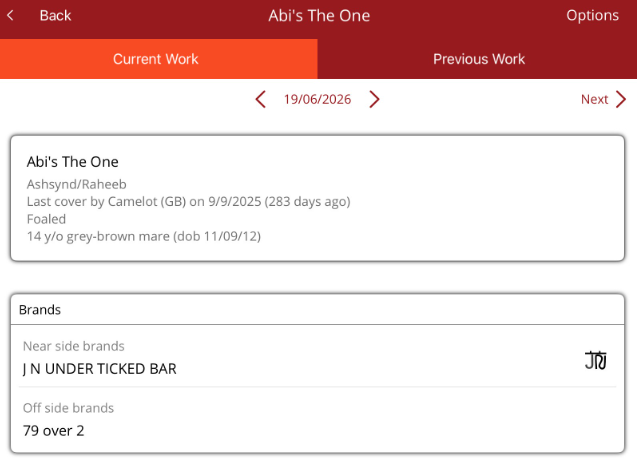
The Current Work tab is broken down into sections.
- Date - is displayed at the top of the screen. You can move between dates to see work previously added and any work scheduled.
- Next> - at the top of the screen, will allow you to move through the horses while on the Horse Current Work tab. You can move back through the horses by selecting <Prev.
- Horse details - shows dam/sire, information about the horse and brands

- Work - shows work added to a horse. If work is scheduled, it can be completed by selecting Complete All.
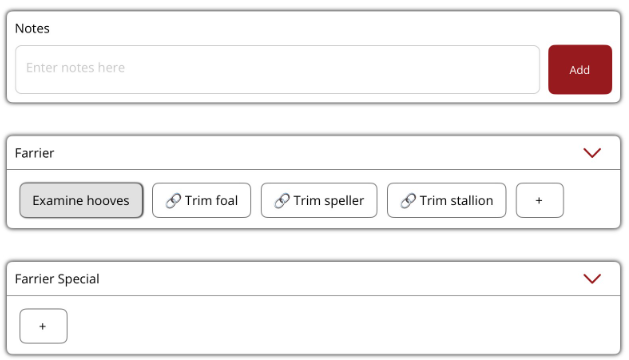
- Work sections - are like procedure types and breaks the work items into categories under a work profile. Notes work section allows comments to be added to the horse and will appear in Work. If additional work sections are needed, please contact Ardex Support.
- Work items - found within the work sections, can be tapped to add work to the horse. Multiple work items can be added to a horse.
If additional work items are required, they can be added by selecting the + in the work section.
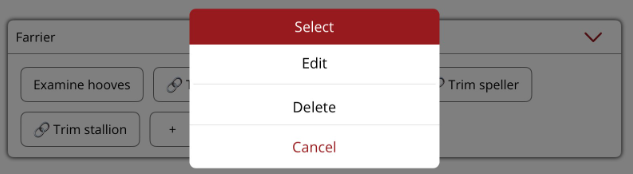
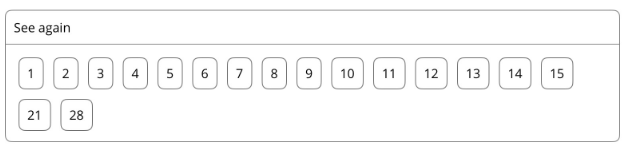
To edit or delete a work item, hold down (don't tap) on the work item name to view the menu. - See again - allows a reminder to be set in so many days if the horse needs to be seen again.