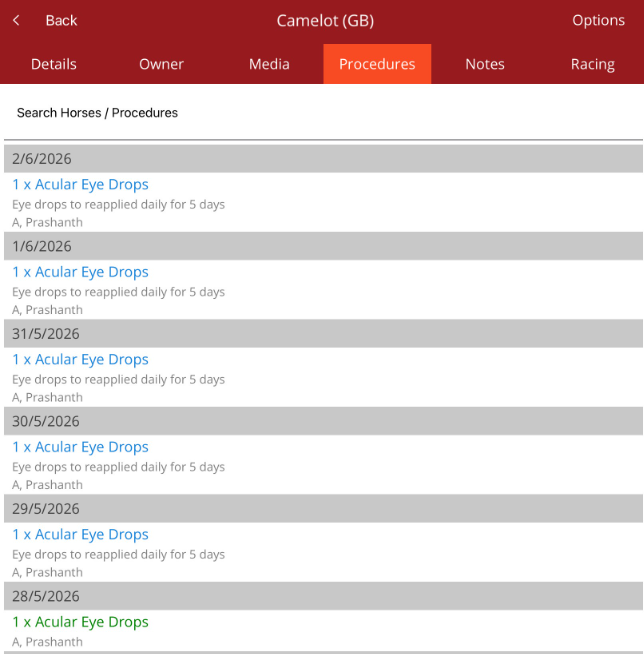
How to add scheduled repeating procedures
When adding a procedure, you have the option under the Procedure to add scheduled repeating procedures. This is helpful if a horse has a treatment that has to occur regularly over a period of time.
Select Allow scheduling repeated procedure.
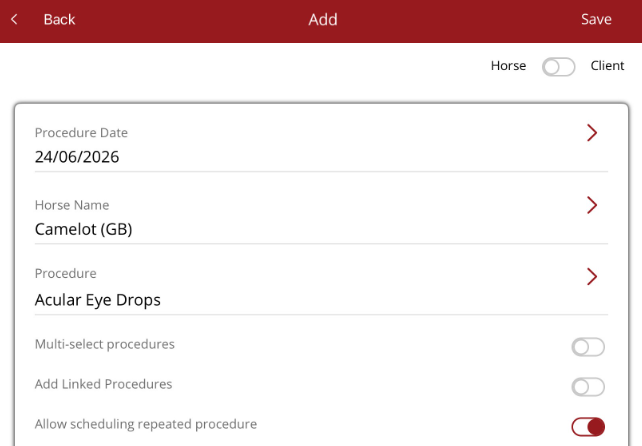
When the procedure is completed and saved, a modal will appear to allow you to scheduled the selected procedure over a period of time.
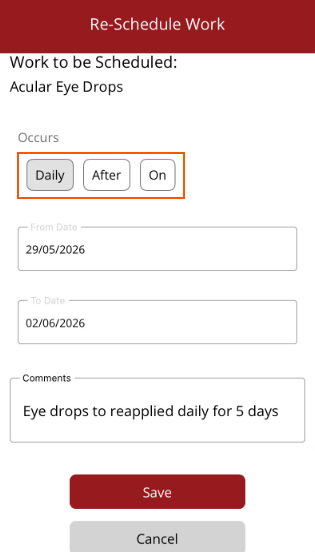
The options are
- Daily - happens every day within a date period
- After - Occurs after a set interval period. Set the interval period and type. e.g. after 1 week. Intervals types can be
- Day(s)
- Week(s)
- Fortnights(s)
- Month(s)
- Year(s)
- On - set a date that the repeated procedure ocurs on
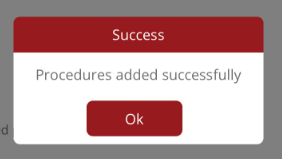
Once the work has been scheduled, select Save at the bottom of the modal (select Cancel if you don't want to proceed). The original procedure and scheduled repeating procedures will be added.
To verify go to the Horse profile/Procedure tab.
Note - if the procedures are not appearing, check if there is a practitioner filter on. They may not appear because another practitioner has added the procedures. Remove the practitioner filter by selecting None for in the Practitioner filter under Options/Filter at the top of the screen.