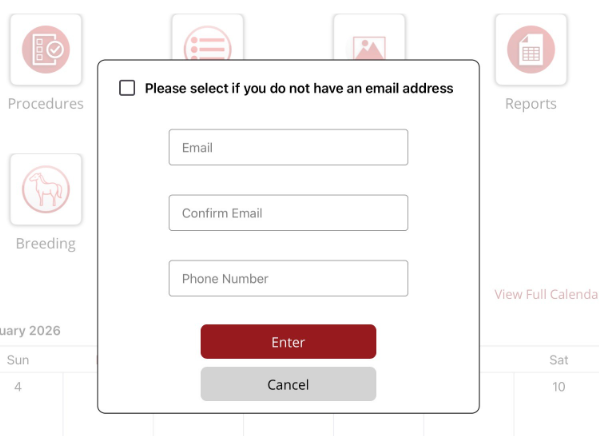
Email prompt when logging in
When you log in, if no email or phone number is saved against your user, you will be prompted to enter an email and/or a phone number.
Enter your email and then re-enter to confirm. You can also enter a phone number. Select Enter to save the details.
If you don't have an email address, then select the tick box at the top of the prompt. You can enter a phone number and select Enter to save the details and continue to the Home Page.
If you don't enter anything and select Cancel, you can go to Options/User Profile and enter the information in the Contact Details fields.
If you don't enter any contact details. then the prompt will contniue to appear every time you log in. To close the prompt without entering any data, select Cancel.