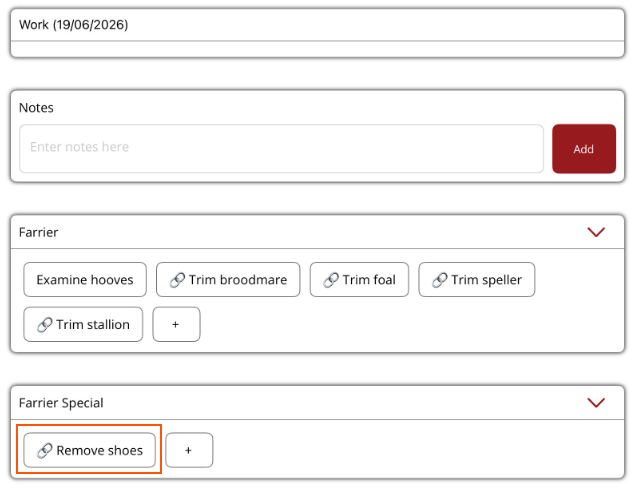
How to add a new work item
Add new work items and add linked procedures
If a new work item is needed, it can be added under the relevant work section in the Horse Profile Current Work tab.
Work items do not have a financial value. If the work needs to be charged out to an owner, then an existing procedure needs to be linked to the work item.
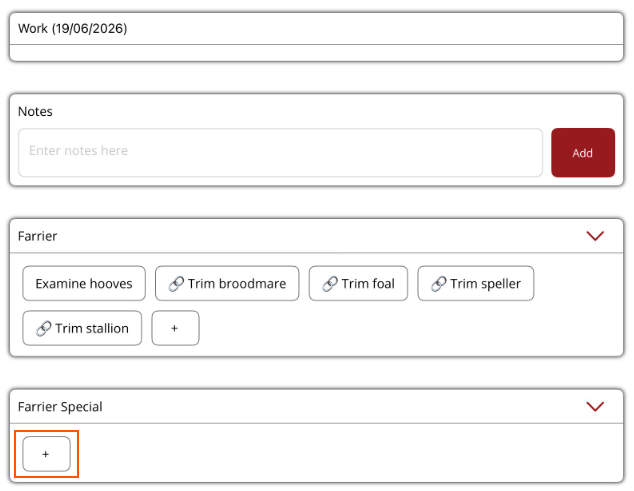
- Select the + in the work section the work item belongs to.
- Enter the work item name
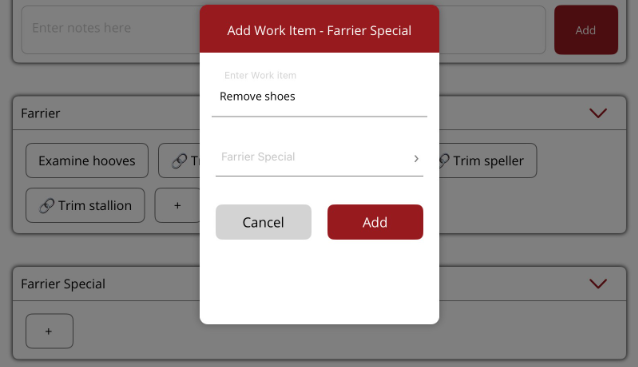
- If a procedure needs to be linked to the work item
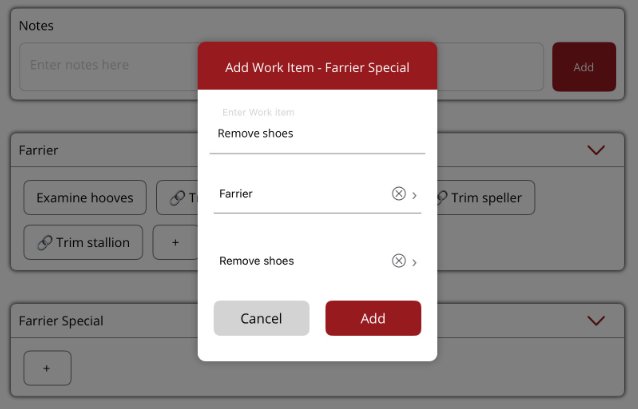
- Select Procedure type
- Select the procedure then select Add to save.
- The new work item will be displayed in the work section. A small chain symbol will be displayed if a procedure was linked.