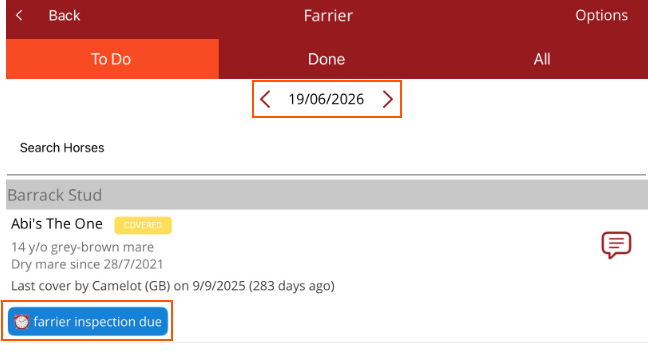
How to add a reminder for a horse
If the horse needs to be seen on a specific day or has to be seen again, a reminder can be set.
There are two ways to set a reminder
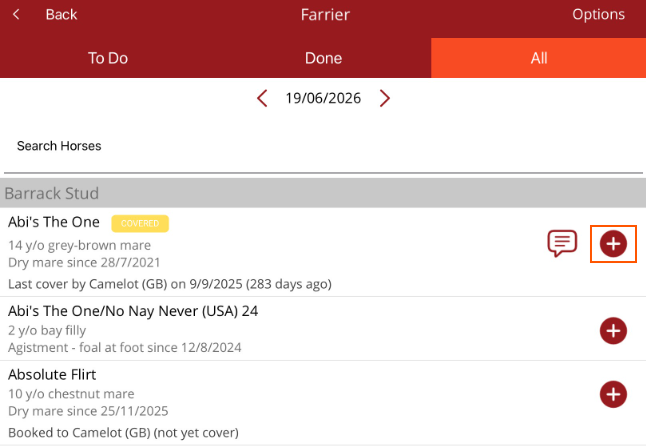
- To see on a specific date - The + on the Work Profile Horse list sets the reminder for that date. Can be used to set reminders for multiple horses.
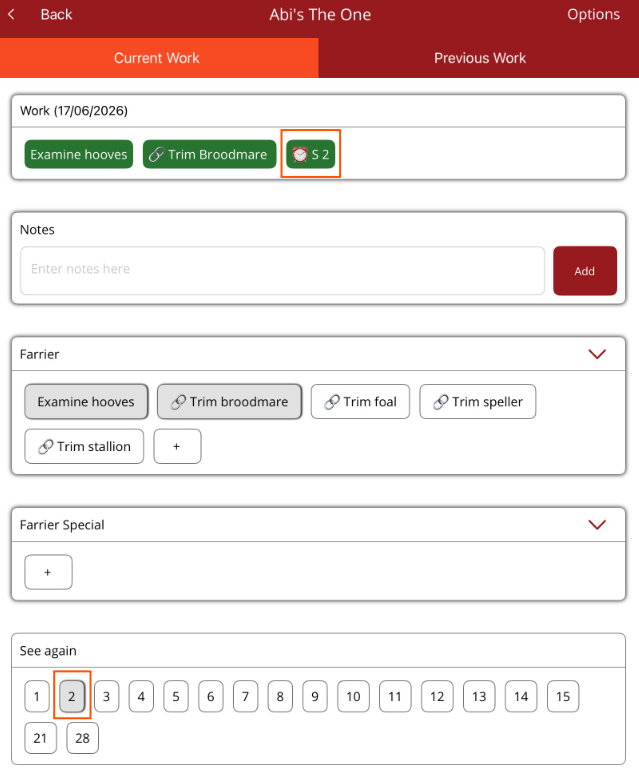
- To see again - At the bottom of the Horse Profile Current Work tab page choose how many days until the horse needs to be seen again
Note - this is a reminder not a procedure. If work has to be done on the horse. either schedule work items for this day or on the day the horse is seen, add work to the horse.
See on a specific date
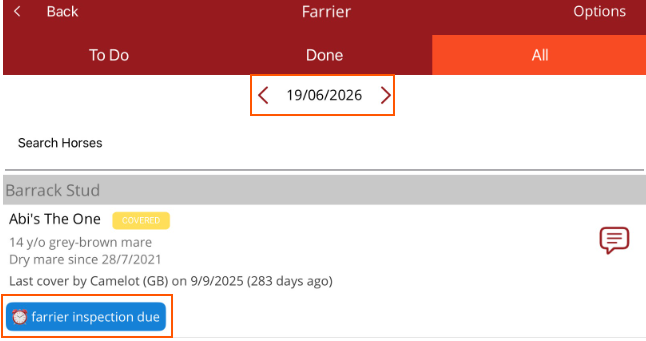
Select the + next to the horse on the Work Profile Horse list and the reminder will be set for the date you are on. This allows you to move to a date and add multiple reminders for horses rather than going into each individual horse profile.
See the horse again
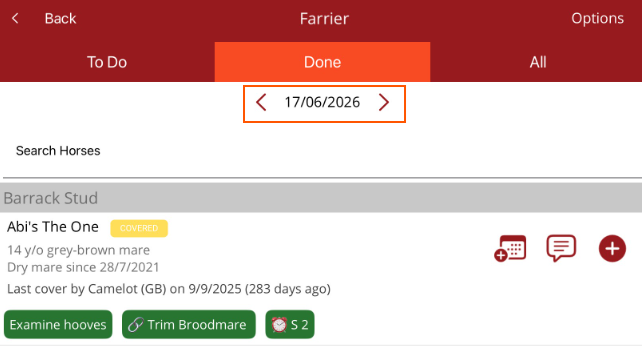
Sets a reminder in so many days so the horse can be seen again. e.g. If a horse has to be seen again in two days, tap on 2 at the bottom of the page. In Work, S2 will appear. This will count down each day until the day the horse has to be seen again.
Note - this is a reminder not a procedure. If work has to be done on the horse. either schedule work items for this day or on the day the horse is seen again, add the work items to the horse.
The horse will appear under the Done tab on the work profile horse list with the reminder set.
The reminder will be displayed two days after it was set and the horse will be on the To Do tab.