Movement List
The Movement list is located under the Movements option on the home page. Movements are displayed for the latest month and sorted by property. The month can be changed at the top of the list.
If a movement has not been approved, the horse location will not change on the mobile app. if a movement has not been approved, it will indicated on the view. Once approved, data will need to be reloaded on the mobile app to update the horse location.
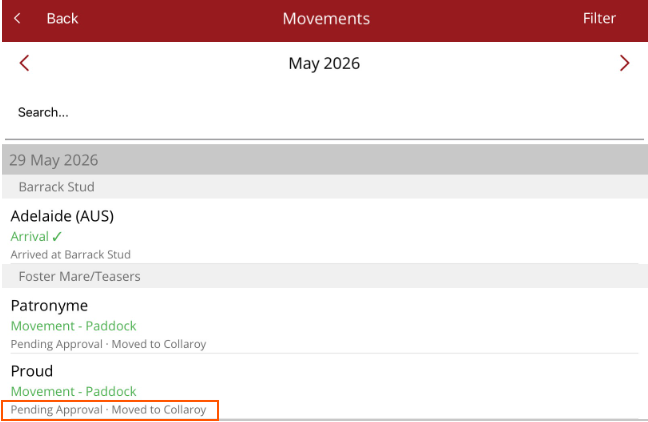
A movement procedure can be changed up until it is approved.
To see the Unapproved movement option menu, tap on the movement.
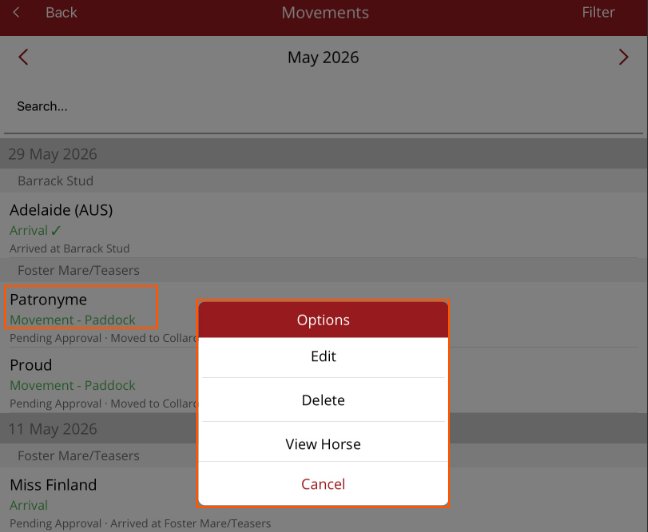
- Edit - make changes to the movement
- Delete - delete the movement
- View Horse - view the horse's profile page
Once approved, you can only view the horse's profile. A tick next to the movement procedure indicates the movement is approved.

The list can be filtered by selecting Filter from the top right hand side of the screen. Standard horse filters are available.
- Paddock
- Age
- Type
- Trainer
- Property
- Breed
- Sex
Filters can also be reset from the Filter menu.