How to add a new person or entity
From the People list under People on the bottom navigation menu, select the Options menu in the top right hand corner then select Add.
The Add Person screen will be displayed. Mandatory fields are
- First name and Surname OR Company name
- Roles(s)
Complete the required information then select Save in the top right hand corner.
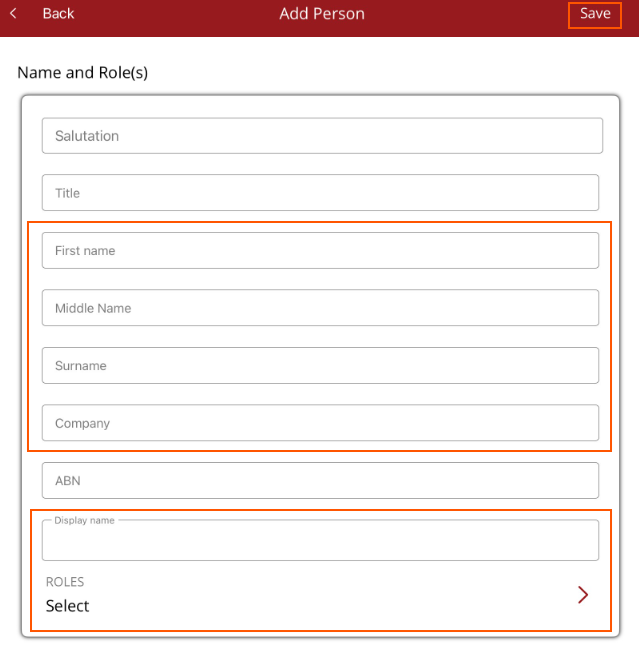
There are six sections.
Name and Role(s) - Mandatory - Either first name and surname OR company name must be entered. All three can be entered. Add any other required details such as salutation, ABN then select the name to be displayed. Role(s) - select atleast one role for the person/entity.
Address - optional - address for the person/entity.
Numbers - optional - contact phone number(s). More than one phone number can be entered.
Communications - optional - more than one email can be entered. Separate the email with; e.g. sam@company.com.au;peter@company.com.au. Indicate if communications should be print and post or emailed.
Statements - optional - more than one email can be entered. Separate the email with; e.g. sam@company.com.au;peter@company.com.au. Indicate if statements should be print and post or emailed.
Other - GST registered and notes - optional - turn the toggle on if registered for GST/VAT. Notes are internal and can be used to record any important information about the person/entity