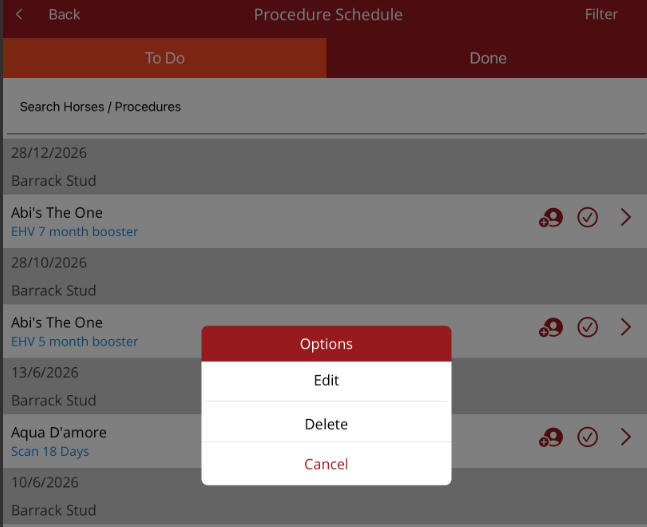
Procedure Schedule
Procedure schedule is found under Procedures on the Home page. This option allows you to see procedures that are scheduled to be done and also the procedures that have been completed.
If there is a practitioner filter turned on, then the list will only show procedures for that practitioner. A message will appear on the top indicating that a filter is on and which practitioner it is for. If you need to see all procedures, go to Filter on the top right, select the practitioner filter and select None. All procedures will then be displayed.
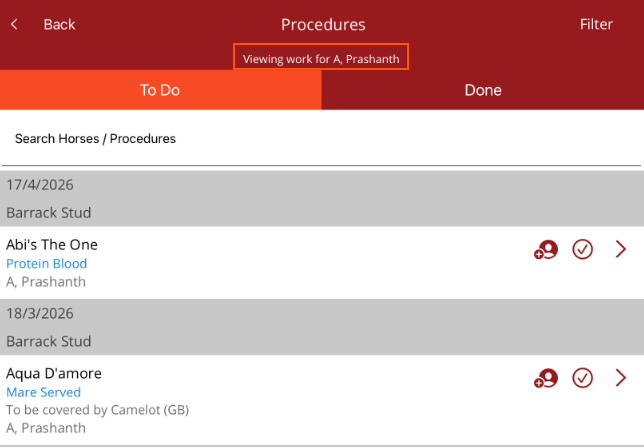
You can search for a horse or procedure, or add a filter. The small person icon allows you to add or change the pracitioner assigned to the procedure.
To complete the procedure, select the tick. If there are linked procedures, they will be displayed when the procedure is completed.
Tap on the procedure to either edit or delete the procedure.